Best Apps to Listen to Music Offline for Free in 2026
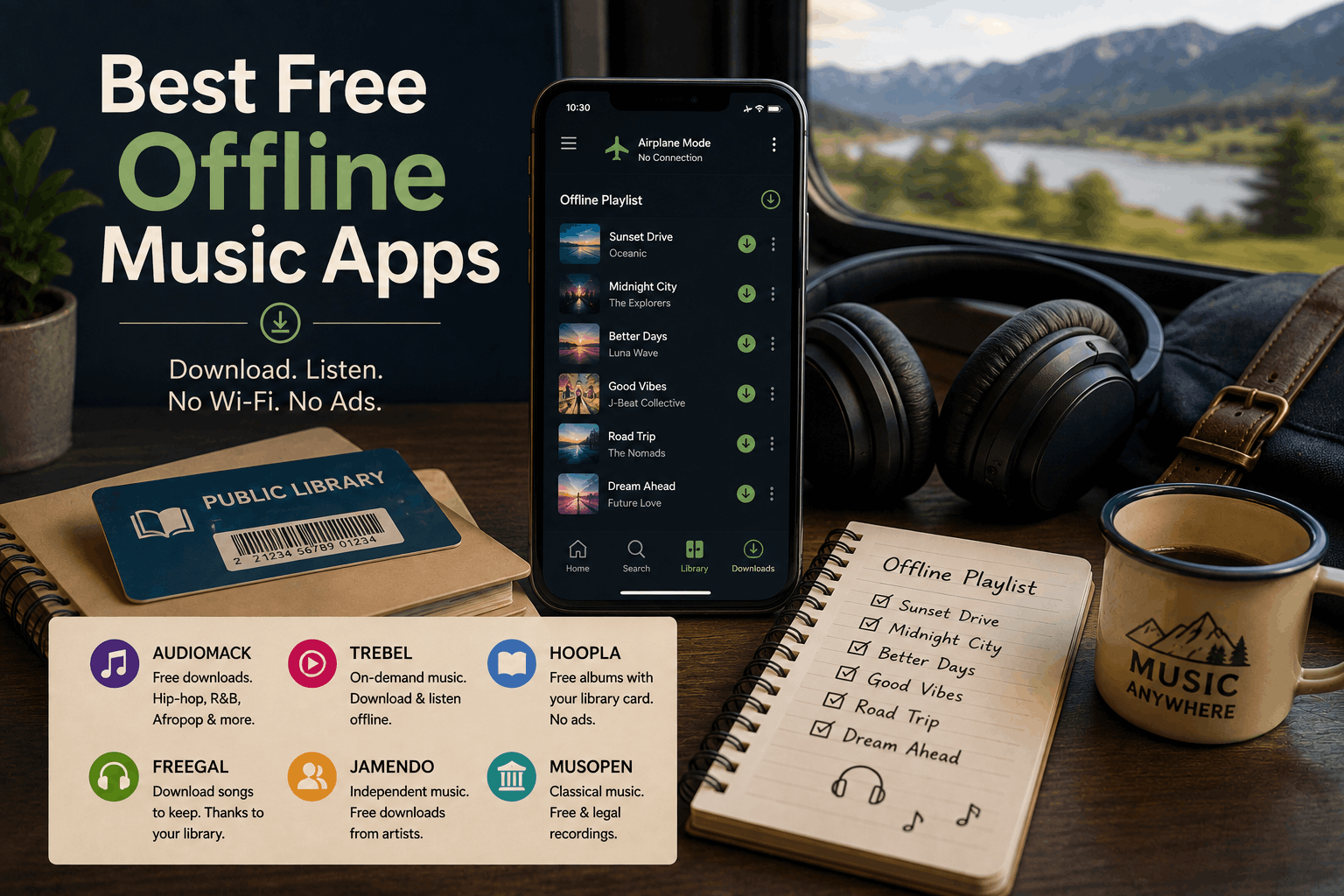
The best free apps for offline music listening are Audiomack, TREBEL, Hoopla and Freegal Music.
Audiomack and TREBEL let users save supported music inside their apps without paying for a subscription. Hoopla and Freegal provide free access through participating public libraries. Jamendo and Musopen are better for legally downloadable independent or classical music, while VLC is useful for playing music files already stored on your device.
The most important distinction is this:
Free offline music usually requires accepting ads, using a library card or choosing from a smaller catalog than Spotify or Apple Music.
Spotify, Apple Music, YouTube Music and SoundCloud reserve their main offline-download features for paid subscribers. Apps claiming to unlock those premium catalogs without payment may be unsafe or unauthorized.
Best free offline music apps at a glance
| App | Best for | Free offline listening | Main limitation |
|---|---|---|---|
| Audiomack | Hip-hop, R&B, Afropop and new artists | Yes | Contains ads; catalog differs from major services |
| TREBEL | On-demand popular music | Yes | Availability and catalog vary |
| Hoopla | Complete albums through a library | Yes | Library card and borrowing limits |
| Freegal Music | Permanent song downloads | Yes | Requires a participating library |
| Jamendo Music | Independent music | Yes | Limited mainstream catalog |
| Musopen | Classical music | Yes, through downloads | Mainly public-domain and royalty-free recordings |
| Bandcamp | Indie releases you own or obtain free | Yes | Most albums require purchase |
| VLC | Playing your existing music files | Yes | Does not provide a music catalog |
1. Audiomack: the easiest free offline option
Audiomack is one of the simplest apps for downloading music for offline listening without a subscription.
Its current App Store listing says users on the free tier can stream and download supported songs and albums without subscribing. The Android version likewise promotes full-track offline listening without using mobile data.
Audiomack is particularly strong for:
- Hip-hop and rap
- R&B
- Afropop and Afrobeats
- Reggae
- Electronic music
- Mixtapes
- Emerging independent artists
To save a track, album or playlist, open it in the mobile app and select the download or offline option. Once saved, it can be played without Wi-Fi or cellular data.
Audiomack also includes a local-file player that supports formats such as MP3, M4A and WAV. This allows users to combine their personal files with Audiomack’s streaming catalog inside one app.
What is the catch?
Audiomack’s free version contains advertising and in-app purchases. Its catalog also does not exactly match Spotify, Apple Music or YouTube Music. Whether a particular song can be downloaded may depend on the rights holder and how it was uploaded.
Audiomack is best for listeners who want free offline discovery rather than guaranteed access to every major commercial release.
Best overall free offline app: Audiomack
2. TREBEL: free on-demand music without Wi-Fi
TREBEL is built specifically around free offline music.
The company says users can download millions of songs, play them offline without Wi-Fi or a data plan and use the service without a paid subscription. The app is available for Android and Apple mobile devices.
Unlike a traditional radio app, TREBEL lets users search for individual songs, artists and albums. Music is downloaded while the device is connected and then played through the TREBEL app when offline.
This makes it useful for:
- Flights
- Long drives
- Areas with poor reception
- Users with limited mobile data
- Older phones used as dedicated music players
- Students trying to avoid another monthly subscription
TREBEL supports its free model through advertising and commercial partnerships. Its availability and exact music catalog can differ by region, so users should check the official app listing in their country.
The downloaded music is intended for playback inside TREBEL. It should not be confused with purchasing unrestricted MP3 files that can be moved freely between any device or music player.
Best for free on-demand offline listening: TREBEL
3. Hoopla: download albums with a library card
Hoopla gives participating library members free access to music albums, ebooks, audiobooks, movies and other digital media.
Users connect their library card, borrow an album and download it through the Hoopla mobile app for offline listening. Hoopla confirms that its music catalog can be downloaded and used offline on supported phones and tablets.
Unlike many completely free music apps, Hoopla carries releases from familiar mainstream artists as well as:
- Soundtracks
- Broadway cast recordings
- Pop albums
- Country music
- Rock and alternative music
- Classical recordings
- Children’s music
The service does not place ordinary advertisements between songs.
What are the limitations?
Your public library must participate in Hoopla. Each library also decides how many titles a patron may borrow during a month, and some popular releases may be subject to additional restrictions.
Albums are borrowed rather than permanently purchased. When the borrowing period ends, offline access also ends unless the album is borrowed again.
Hoopla is one of the best options for people who want complete, recognizable albums and already have access through a local library.
Best for borrowing mainstream albums: Hoopla
4. Freegal Music: downloads you may be able to keep
Freegal Music is another service funded by participating public libraries.
It advertises a catalog of more than 15 million songs across more than 200 genres, with streaming and downloads available on compatible devices.
Freegal differs from most streaming apps because some libraries allow users to download DRM-free song files. These files can be played offline and may be moved into another compatible music player.
The exact allowance depends on the library. The Los Angeles Public Library, for example, currently provides unlimited streaming and up to five DRM-free song downloads each week.
Freegal is useful for listeners who want:
- Individual songs instead of album loans
- Music files that remain available offline
- Personal playlists
- A broad range of genres
- Free access without advertisements
Before signing up, search your library’s digital-resources page for Freegal. Different library systems may offer different download limits or streaming rules.
Best for permanent library-supported downloads: Freegal Music
5. Jamendo Music: free independent music downloads
Jamendo Music offers free streaming and downloads from independent musicians.
Its current catalog includes more than 600,000 songs from over 40,000 artists. Users can explore recordings by genre, mood, instrument or theme, and the service provides mobile and desktop options.
Jamendo is a good choice for discovering:
- Independent pop and rock
- Electronic music
- Ambient tracks
- Singer-songwriters
- Instrumental music
- Jazz
- World music
- Creative Commons releases
Its catalog is legally supplied by participating artists rather than copied from paid streaming services. Tracks marked for download can be saved and played later without an internet connection.
The compromise is that Jamendo is not designed around current chart hits. Someone searching for every new release from a major pop star will probably be disappointed.
For listeners open to unfamiliar artists, the smaller catalog can become an advantage. Jamendo feels more like exploring an independent music community than browsing another version of Spotify.
Best for free independent downloads: Jamendo Music
6. Musopen: free classical music for offline listening
Musopen is a nonprofit resource offering public-domain and royalty-free classical recordings.
Its music library allows users to browse by composer, performer, instrument, form and historical period. Thousands of recordings can be downloaded as MP3 files, with higher-quality options available for some material.
Musopen is especially useful for listeners interested in:
- Bach
- Beethoven
- Chopin
- Mozart
- Vivaldi
- Tchaikovsky
- Debussy
- Solo piano
- Orchestral music
- Chamber music
After downloading a recording, you can open it in your phone’s built-in player or an app such as VLC.
Musopen also provides a Radio app, but the downloadable website library is more useful when guaranteed offline access is the goal.
Always check the license shown beside a recording. Musical compositions may be in the public domain while a specific modern performance still carries separate rights.
Best free offline app source for classical music: Musopen
7. Bandcamp: listen offline to free and purchased indie music
Bandcamp is primarily a store and artist-support platform, not an unlimited free streaming service.
However, many musicians make releases available as free downloads or use a “name your price” model that permits a listener to enter zero dollars. Once a release has been added to your Bandcamp collection, the Android and iOS apps can download it for offline playback.
Bandcamp is particularly strong for:
- Independent artists
- Experimental music
- Underground metal and punk
- Electronic subgenres
- Jazz
- Folk and regional music
- Small record labels
- Albums unavailable on mainstream services
Free streaming is generally intended as a preview. Artists can limit how many times an unpaid visitor plays a release before Bandcamp displays a purchase prompt.
Bandcamp is therefore not the best answer for someone who wants unlimited free listening. It is an excellent option for gradually building an offline collection while supporting favorite artists directly.
Best for owning independent releases: Bandcamp
8. VLC: play free music files already on your phone
VLC does not provide songs, but it is one of the best free apps for playing music you already legally own or downloaded.
VLC is free, open source and available across Android, iOS, Windows, macOS and other operating systems. It supports most major audio formats and does not contain advertising, spyware or user tracking.
VLC for Android includes a full music library, search tools, an equalizer and support for local audio files. Its iOS app can receive files through cloud services, iCloud Drive, Wi-Fi transfer and direct downloads.
VLC works well with music downloaded from:
- Freegal
- Jamendo
- Musopen
- Bandcamp
- Internet Archive
- Artist websites
- CDs you have legally copied
- Your existing MP3 or FLAC collection
Once files are stored locally, VLC can play them anywhere without Wi-Fi, advertisements or a subscription.
Best free offline player for personal files: VLC
Can Spotify be used offline for free?
Not for music.
Spotify allows Premium subscribers to download songs, albums and playlists for offline listening. Spotify’s free tier can download podcasts, but downloading music is listed as a Premium benefit.
Any app or website claiming to provide a modified version of Spotify Premium for free should be avoided. It may violate Spotify’s terms, expose login information or contain harmful software.
Can YouTube Music play offline for free?
Offline song downloads generally require YouTube Music Premium or YouTube Premium.
Google’s official instructions connect album, playlist and song downloads with a Premium membership or trial.
You can upload personal music to your YouTube Music library, but that is different from downloading the service’s commercial catalog for free.
Is Apple Music offline listening free?
No.
Apple says users must subscribe to Apple Music before they can download catalog songs for offline playback. Purchased iTunes music and files transferred from another device can still be played offline without an Apple Music subscription.
A free trial temporarily provides the subscription features, but it is not a permanent free option.
Does SoundCloud offer free offline listening?
SoundCloud’s built-in offline feature requires SoundCloud Go or Go+.
The company states that Go subscribers can save their Likes, playlists and library for offline mobile listening. Go+ adds full access to its larger licensed catalog.
Individual artists may still enable legal track downloads on SoundCloud. Those downloaded files can be played offline in another app, but this depends on the artist rather than being a universal free feature.
What “download” means in different apps
Not all offline downloads work in the same way.
In-app offline copies
Audiomack, TREBEL and Hoopla generally manage the saved music inside their own apps.
You can listen without an internet connection, but the tracks are not necessarily ordinary MP3 files that can be moved to another player.
Permanent or portable files
Freegal, Jamendo, Musopen and some Bandcamp releases can provide actual downloadable files.
These can often be played with VLC, a built-in music app or another compatible player.
Subscription downloads
Spotify, Apple Music, YouTube Music and SoundCloud Go store encrypted offline copies tied to an active paid account.
The files normally stop working after the subscription ends or the app can no longer verify the account.
How to choose the right app
Choose Audiomack when you want the easiest free option and enjoy hip-hop, R&B, Afropop or new independent music.
Choose TREBEL when you want on-demand songs and the app is available with a suitable catalog in your region.
Choose Hoopla when you have a library card and prefer borrowing complete mainstream albums.
Choose Freegal when your library offers permanent song downloads.
Choose Jamendo when you enjoy discovering independent musicians.
Choose Musopen when you primarily listen to classical music.
Choose Bandcamp when you want to build a collection while supporting artists directly.
Choose VLC when you already have music files and want a reliable, ad-free offline player.
Avoid suspicious “free music downloader” apps
A legitimate music app should clearly explain where its catalog comes from and why it is allowed to offer downloads.
Be cautious when an app claims it can download any song from Spotify, Apple Music or YouTube without payment or permission.
Warning signs include:
- Requiring installation from an unknown website
- Asking for your streaming-service password
- Promising free Premium access
- Requesting unnecessary device permissions
- Displaying deceptive download buttons
- Redirecting through repeated pop-ups
- Offering copyrighted albums without identifying a license
- Requiring cryptocurrency or unusual payment information
Use official app stores and verified developer websites whenever possible.
Final answer
The best app for listening to music offline free is Audiomack for most users. It offers free in-app downloads, supports full tracks and has a strong catalog of hip-hop, R&B, Afropop and emerging music.
TREBEL is the strongest alternative for free on-demand listening where available.
People with library cards should also check Hoopla and Freegal Music. Hoopla is better for borrowing complete albums, while Freegal may provide DRM-free song downloads that remain in your personal collection.
For independent music, choose Jamendo or Bandcamp. For classical recordings, choose Musopen. For music files you already own, VLC is the most flexible free offline player.
Free offline listening is possible, but no legitimate free app provides every song available on Spotify or Apple Music without restrictions.
The best choice depends on which limitation you prefer:
Advertisements.
A library card.
A specialist catalog.
Or managing your own downloaded files.